Report Chatting Overview
Author: Ahmet Selman Güclü
Introduction
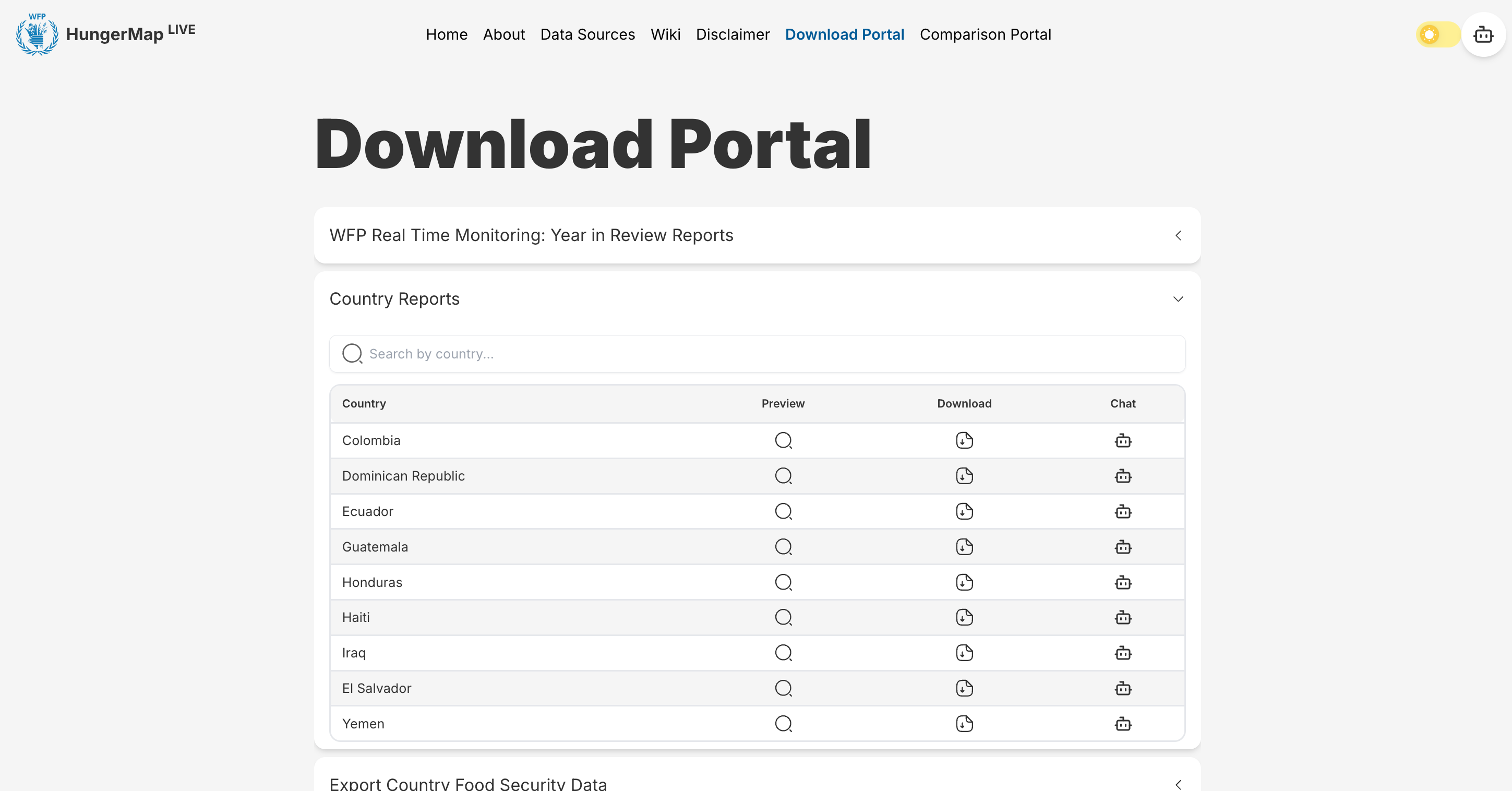
The Report Chatting feature is an AI-powered functionality that allows users to interact with and query specific country reports directly through a chat interface. This feature is accessible through the Download Portal, where users can find country-specific reports and engage with their content through a dedicated chat button.
What is Report Chatting?
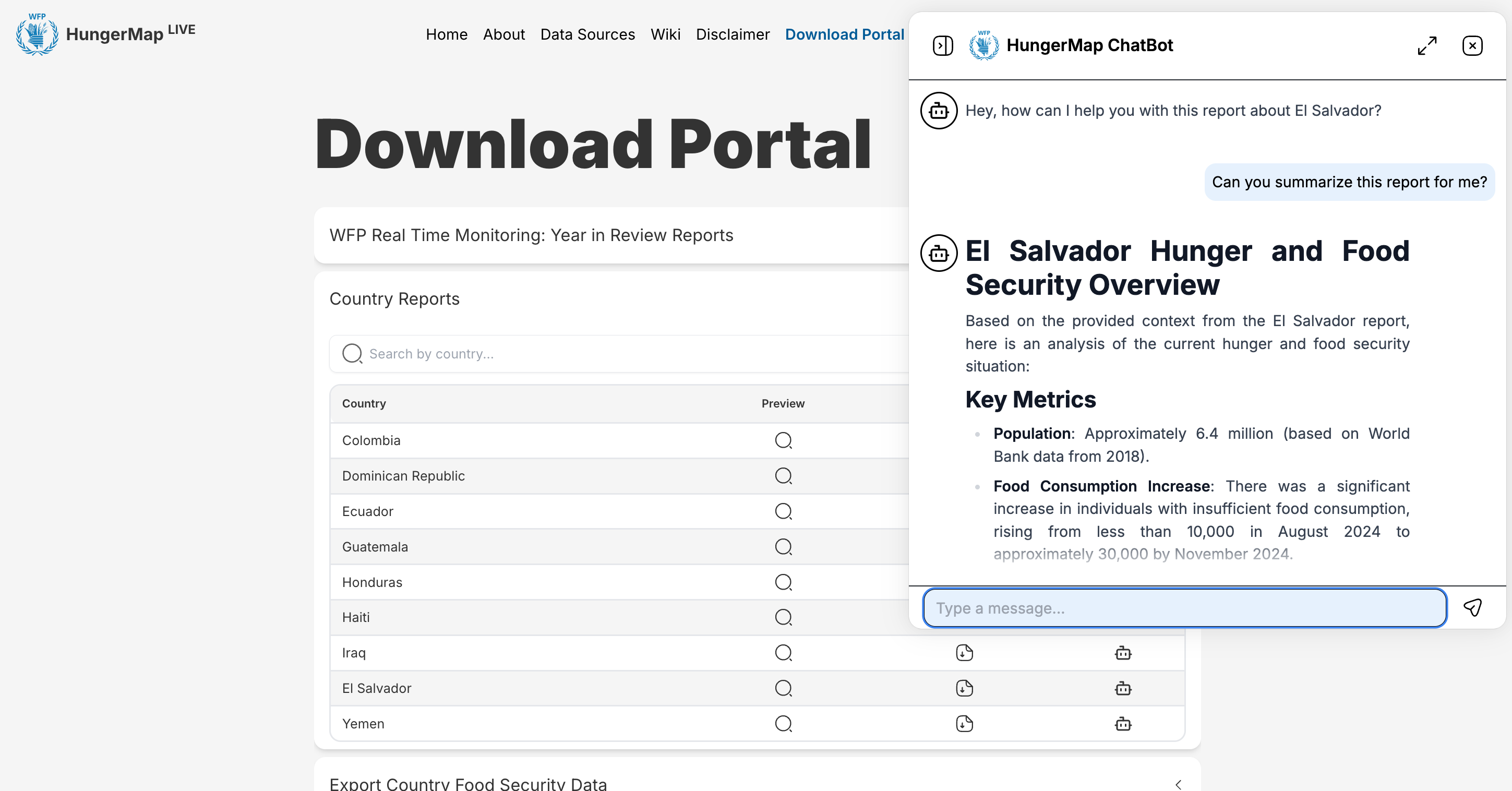
Report Chatting enables users to:
- Ask questions about specific country reports.
- Get AI-generated responses based solely on the report's content.
- Access insights and information from reports in a conversational manner.
- Receive accurate, context-aware answers about the report's data.
How to Access
The feature can be accessed through the Download Portal in two steps:
- Navigate to the "Country Reports" section in the Download Portal.
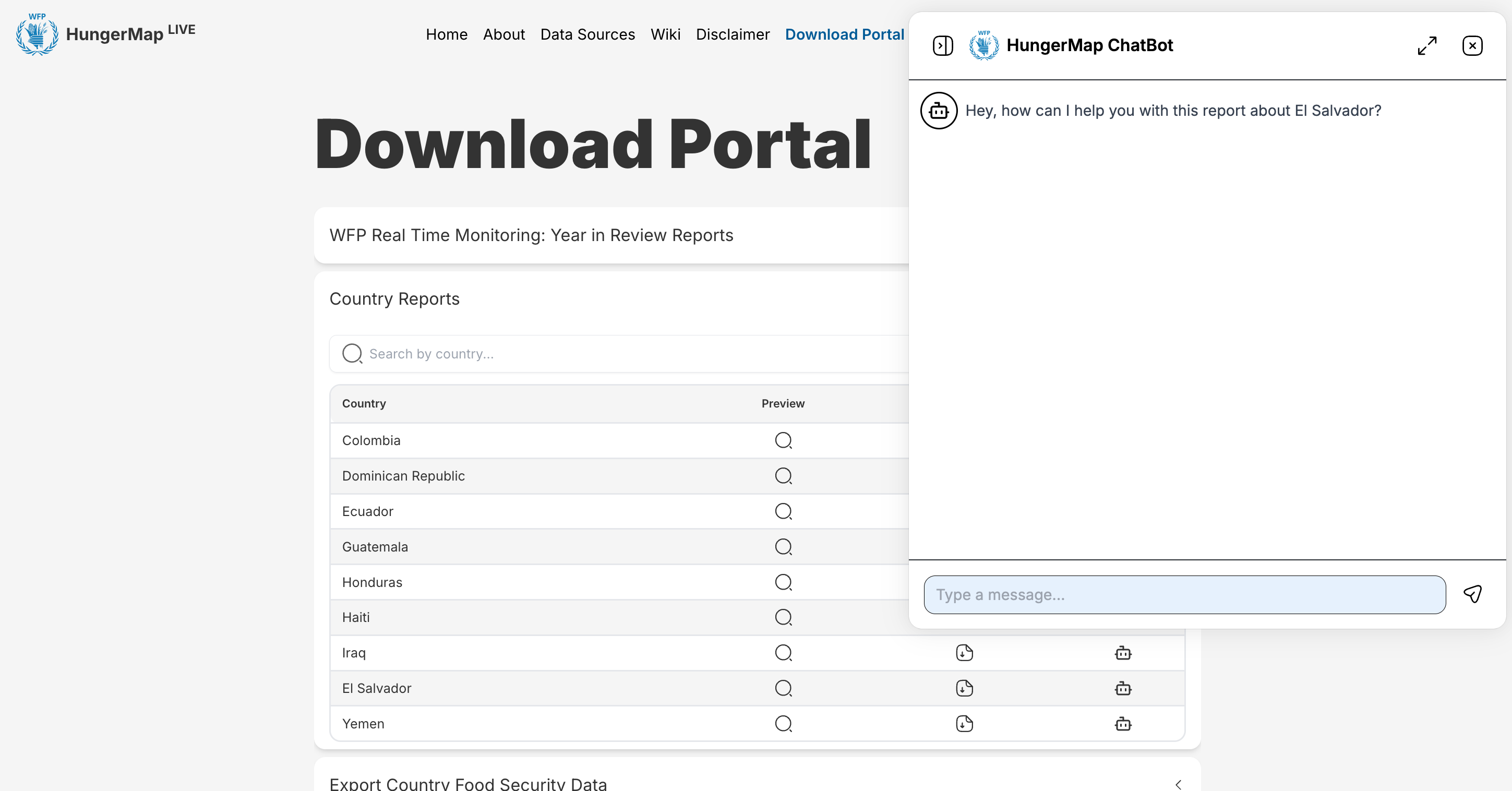
- Click the chat button (💬) next to any country's report to start a conversation.
The chat interface will open with a greeting message specifically mentioning the selected country, indicating that the conversation will be focused on that country's report.
Technical Overview
The Report Chatting system is built on a sophisticated architecture that combines several key components. Here's a high-level overview of how the system works:
How It Works
The system operates through two main workflows:
-
Query Processing Flow (Left Side)
- Users interact with the chat interface in the frontend
- Their questions are sent to the backend server via API requests
- The AI model processes these questions and searches the database for relevant information
- Using the retrieved context, the AI generates accurate responses
- These responses are sent back to the user through the frontend interface
-
Data Processing Flow (Right Side)
- PDF reports are processed through a specialized pipeline
- The pipeline extracts, structures, and organizes the report data
- This processed information is stored in the MongoDB database
- The database serves as a knowledge base for the AI model to reference when answering questions
What's Next
In the following documentation sections, we'll dive deeper into:
- The integration between frontend and backend components
- How report data is processed and structured
- The detailed mechanics of the report chatting functionality